How shippers and logisticians can find transport and manage cargo
The information and logistics website COM-STIL is a reliable assistant for all shippers. If you have cargo that needs to be shipped quickly and profitably, register on the website. You will be surprised at how quickly you can find a carrier for your request. We will explain everything in order so that it is as clear as possible to you. We are confident that you will find answers to most of your questions related to the website's functionality and capabilities.
How to register on the website to use it to the fullest — we explain!
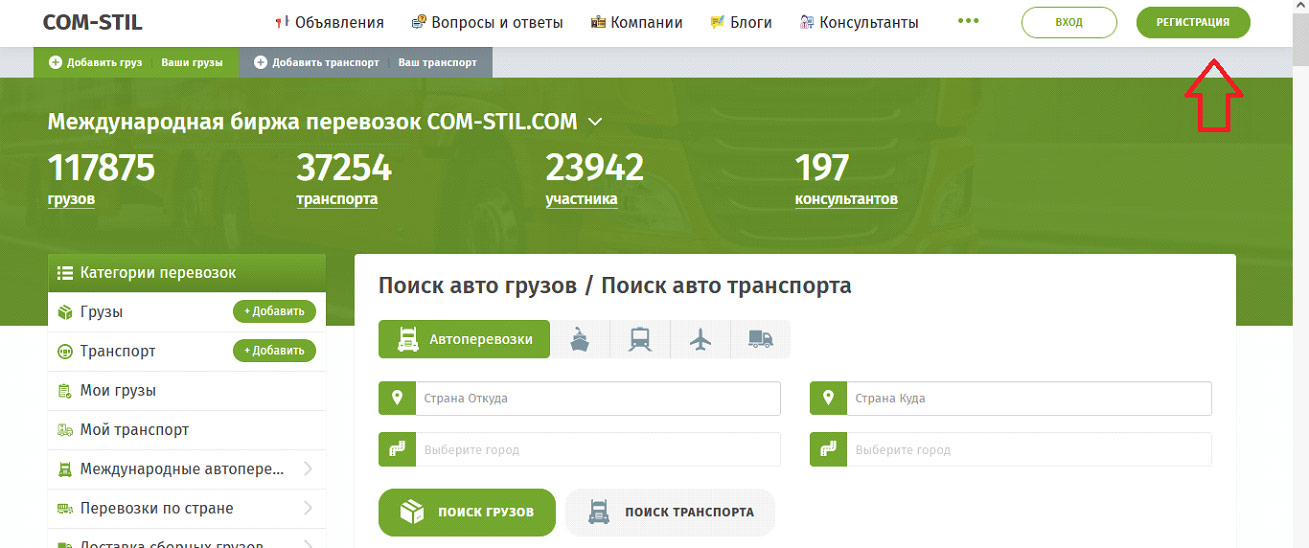
To register, fill in the following fields:
- email address — specify one of the email addresses you use at the time of registration;
- password — create a set of digits and letters to protect your account in the system;
- specify your activity — select "Shipper" from the dropdown list if you intend to post cargo shipping requests on the website;
- check the box next to "I am not a robot" — confirm that you are a real person and intend to use the account on the website for work.
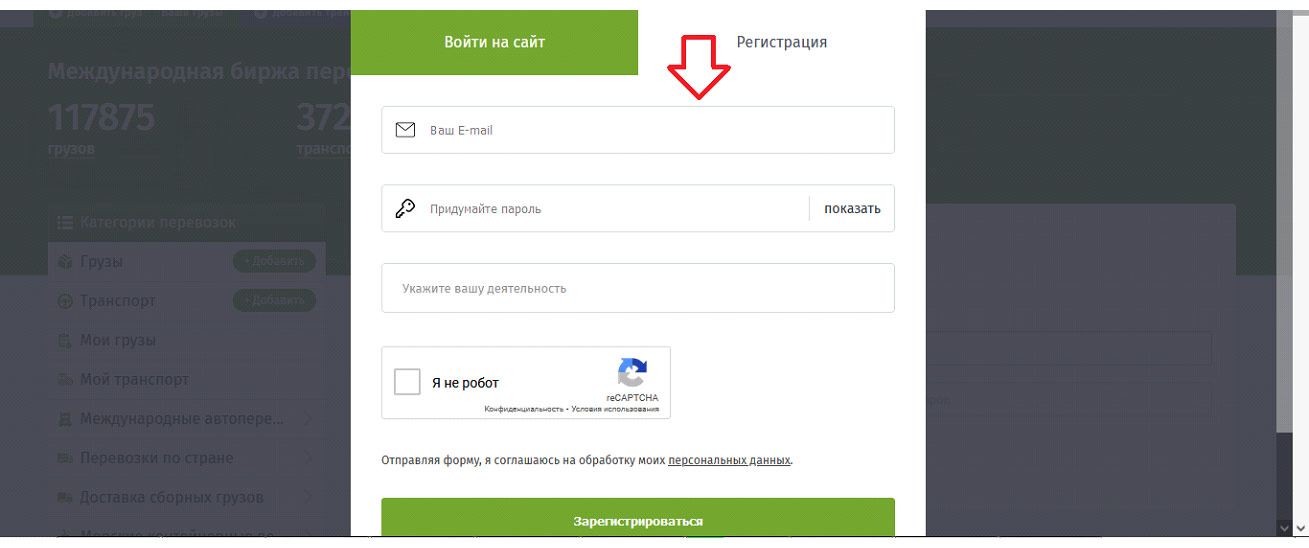
This way you will have your own personal account, which will open up more opportunities, including the ability to publish and manage requests on the website. During registration, be sure to specify a working email address, as an email with a link to activate your account will be sent to it.
How to activate your account on COM-STIL — very simple and fast!
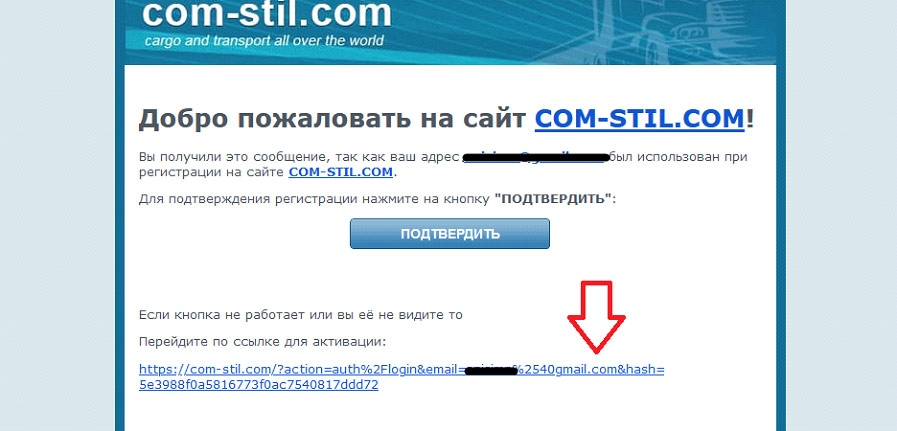
After registration, you need to go through a simple activation procedure. To do this, open your mailbox and the email from the administration of the COM-STIL website. There you will find an active link; when you click on it, you will activate your account. After activation, you will be on the website as a registered user and will be able to use your personal account and other platform features.
Why did I register and activate my account but cannot use the website — here's the answer!
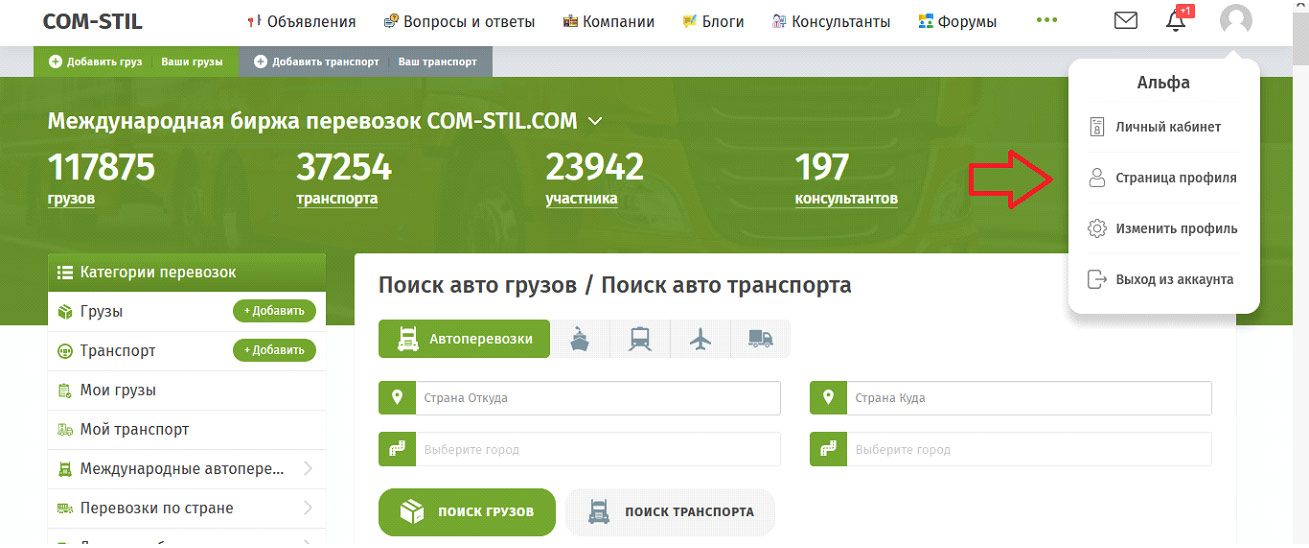
To get access to all sections of the website, complete your profile. It is not difficult, but it is mandatory. What data to enter is indicated next to each field — name and surname of the contact person, country and city where you are located, company name, field of activity, contacts, and additional information. When filling out your profile, you can check a box so that in the future your information will be displayed on the forum as an advertisement. This is optional. A pleasant bonus of a completed profile is an increase in trust level for you.
How to enter your personal account — we explain!
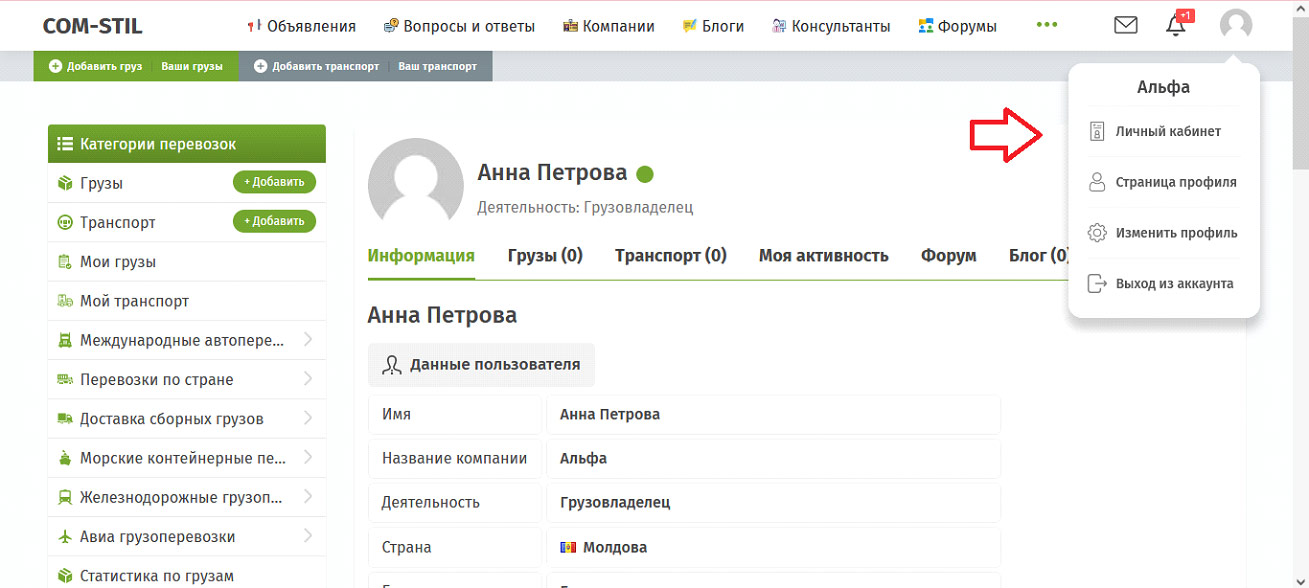
When you are on the website as a registered user, you can hover your cursor over the profile icon in the top right corner and click on "Personal Account" in the dropdown list. This will open up new possibilities for using the website.
How to add cargo on the website — follow this simple instruction!
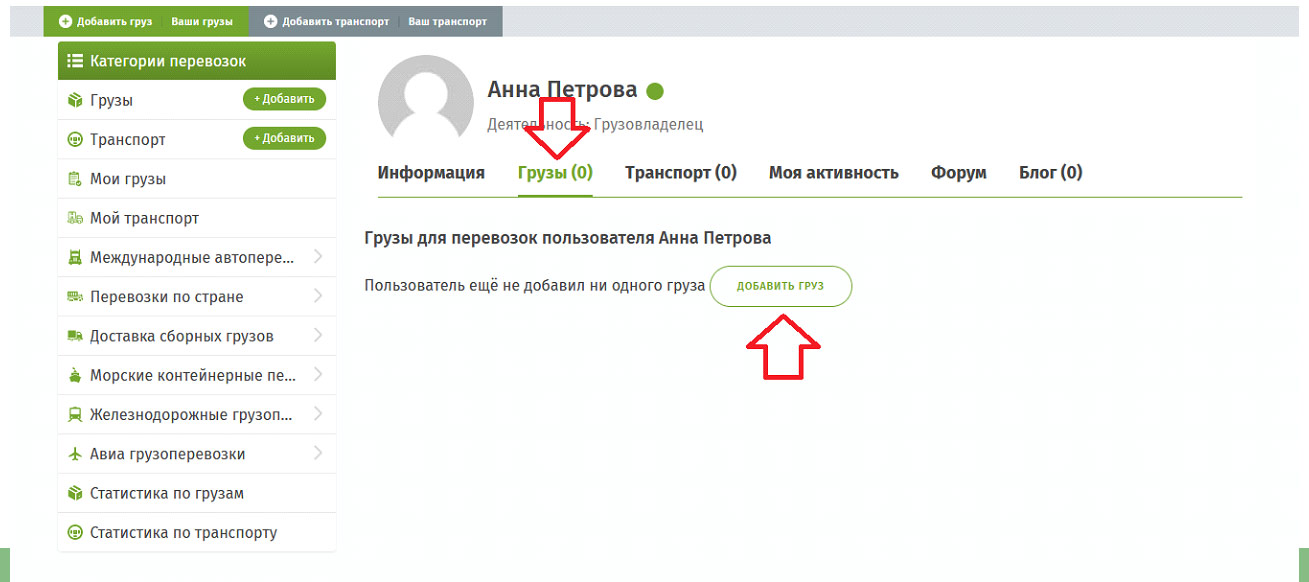
The add cargo function — to add your request, you need to click the plus sign next to the list of cargo types that we mentioned above. After that, you will be taken to the shipping request form. Here, fill in all fields to make your offer as informative as possible.
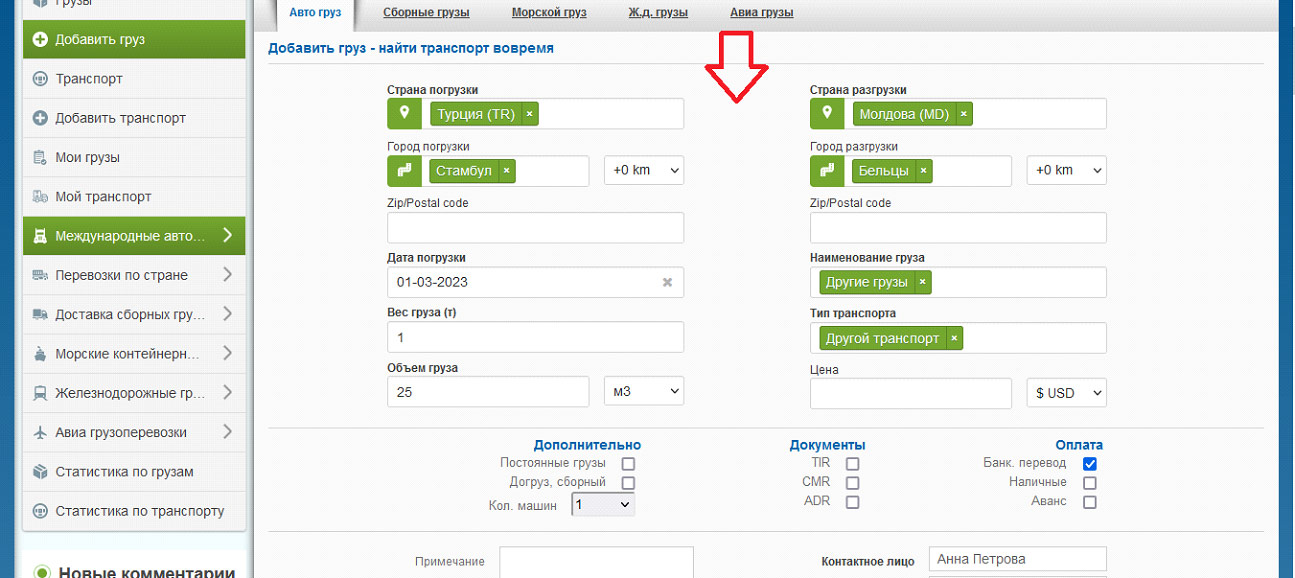
Complete the data about the cargo location and its characteristics, delivery direction, loading date, contact information, vehicle type, documents, additional information, and notes. By clicking the blue "Add" button at the end of the request form, you publish it on the website.
How to manage your requests — couldn't be easier!
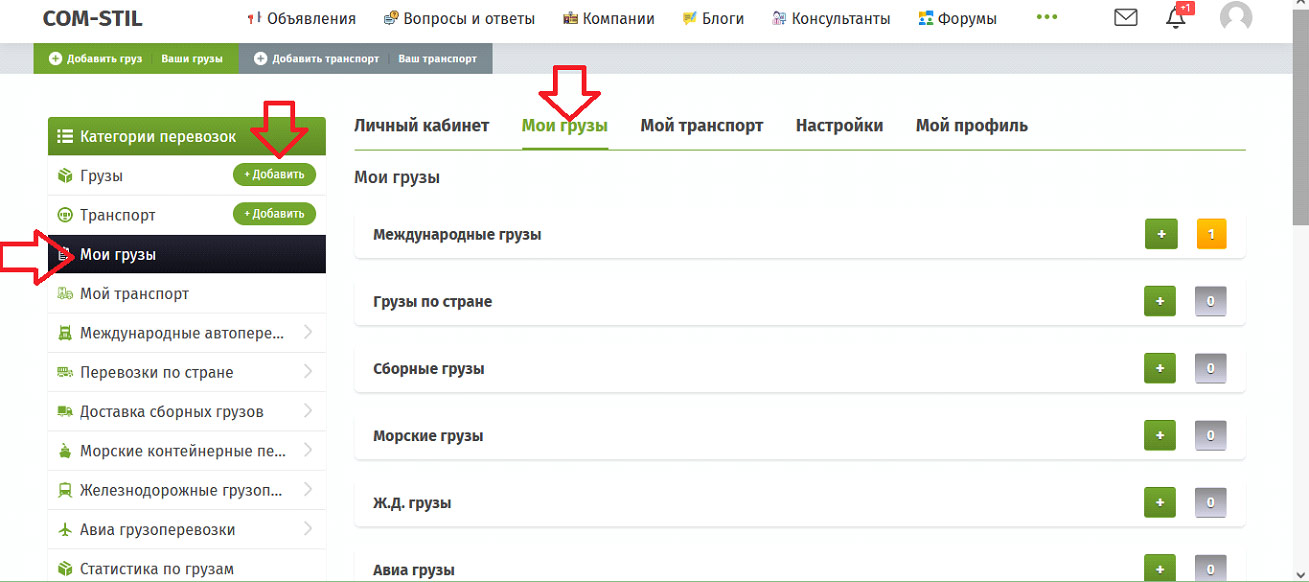
By selecting the "My Cargo" tab, you will be able to add or change the status of your entries. More precisely, the following list will open for you:
- international cargo;
- domestic cargo;
- groupage cargo;
- sea cargo;
- rail cargo;
- air cargo.
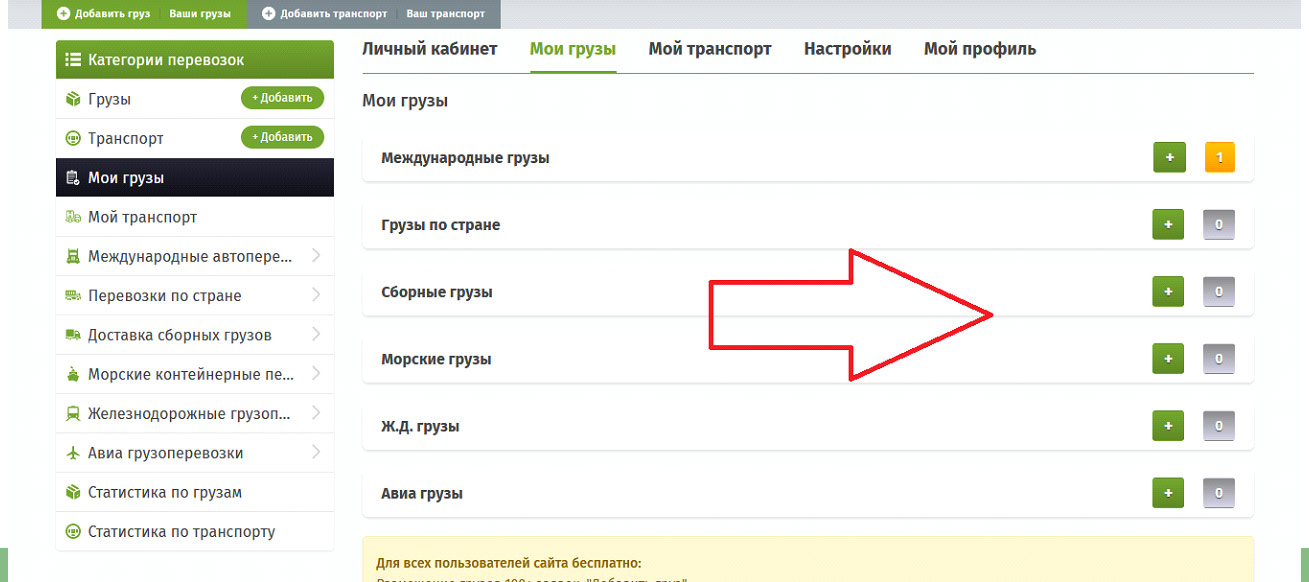
Depending on what you added or plan to add, the number of entries and an "add" button in the form of a "+" will be displayed next to each line. This is convenient because it allows you to classify requests so you can manage them quickly.
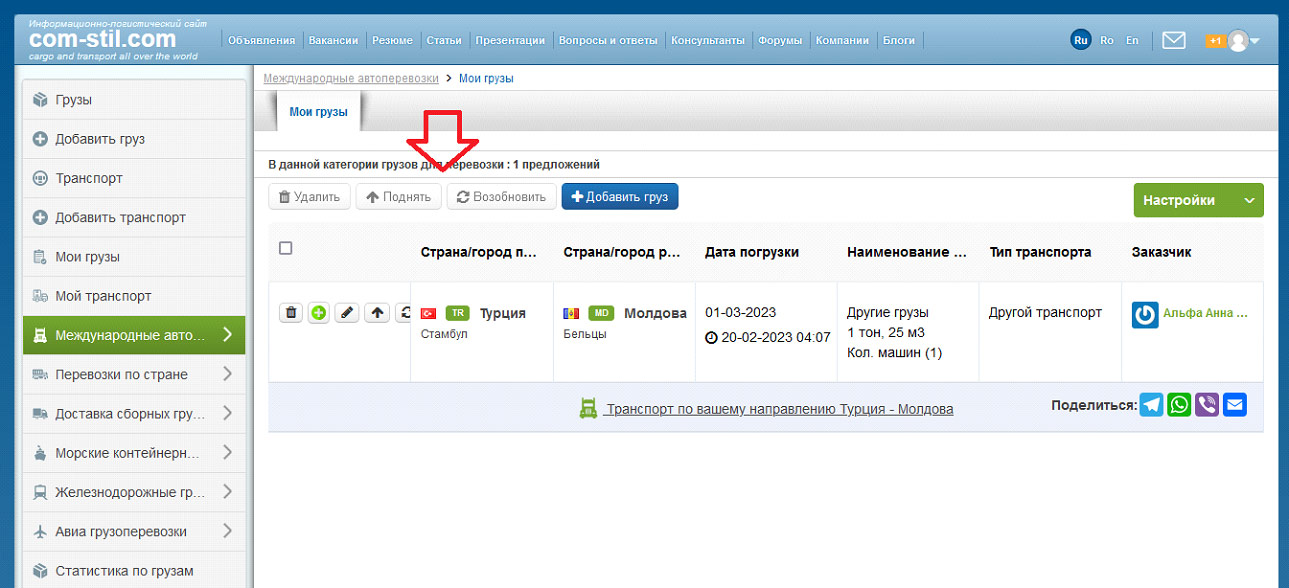
On the request management page, you can delete an offer, bump it up, or renew it. If you need to add or change something, you don't need to fill everything out from scratch; you can make changes to an existing entry. Renewal allows you to update your request, that is, to change its date. You can delete all your no longer relevant offers as soon as you find transport so you don't continue searching.
How to add cargo so it is seen faster — we explain!
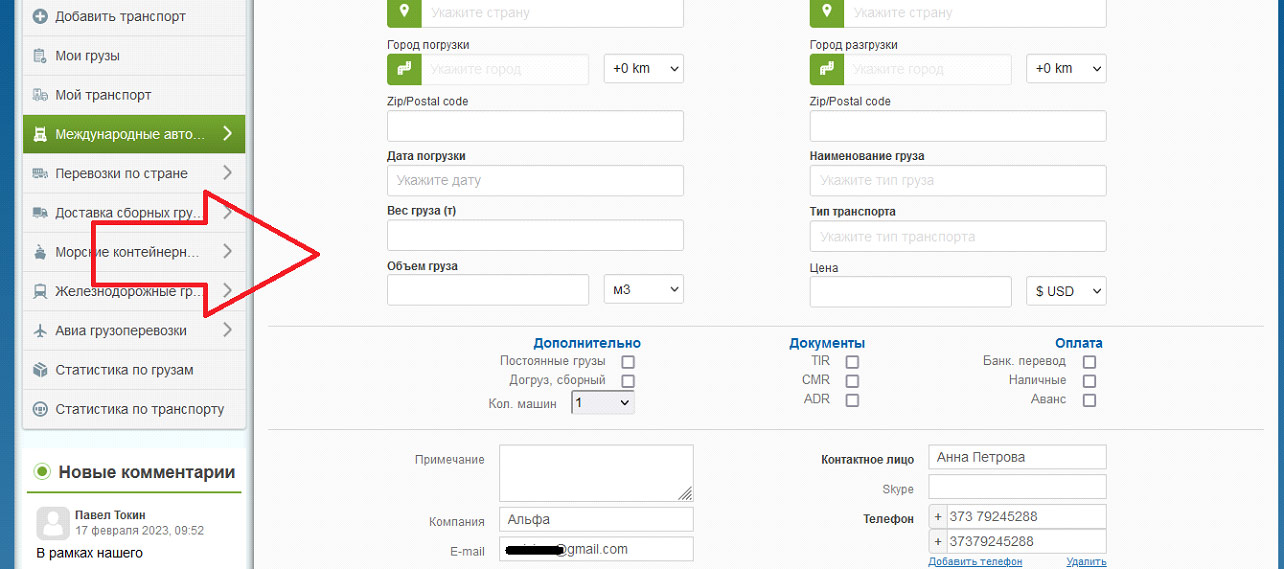
When adding a request, try to make it as informative as possible and fill in all fields, then your offer will be shown to all relevant carriers. When a carrier searches for something on the website, they set certain search criteria. And if you have described your offer in detail, it will also be shown in the search results.
How to bump your request to the top of the list so more users see it — the solution is simple but effective!
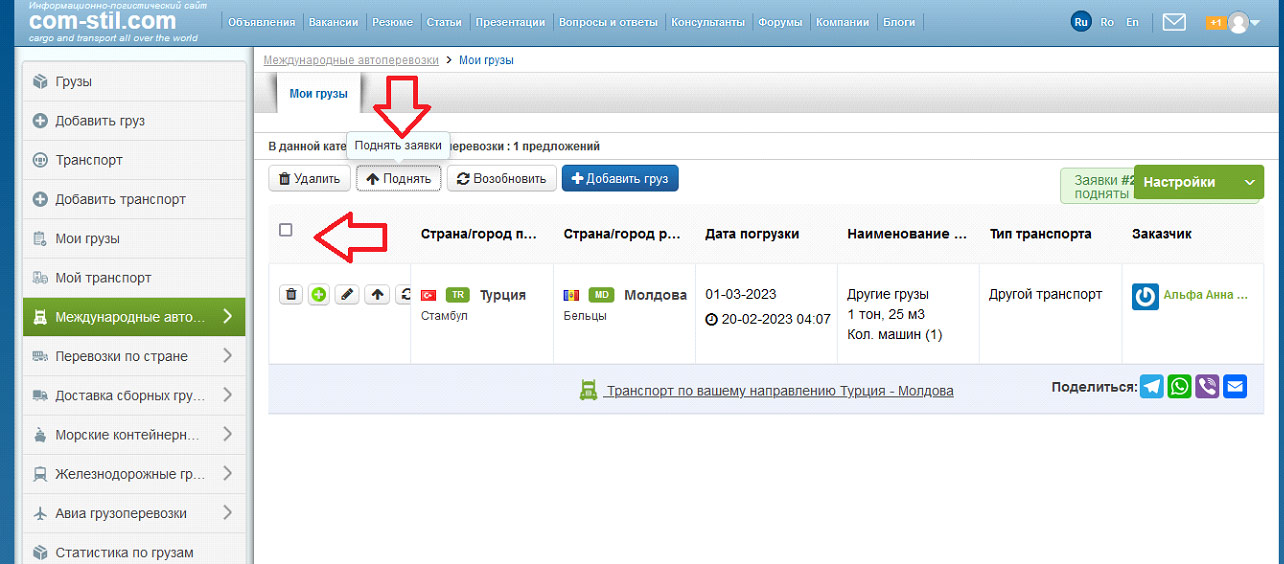
Cargo that appears higher in the list is viewed more often. To take the coveted top positions, you can renew your request. Change its publication date to a more recent one and bump it up at the same time. This way, your offer will be displayed with a new publication date and at the top of the list of all requests. This is very simple and instead of creating a new entry each time, you can simply update the existing one.
How to find a vehicle yourself — see how easy it is!
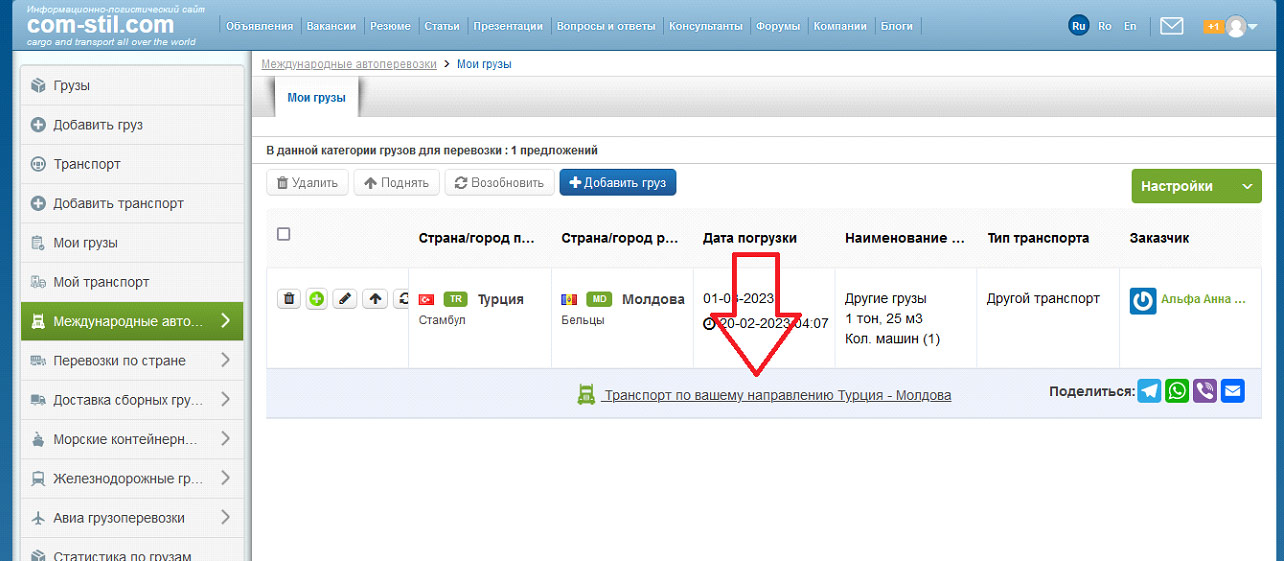
Shippers don't have to wait for carriers to contact them; they can search on their own. Here's how — find a link under your requests list that leads to a list of offers from truck owners corresponding to your shipping direction. For example, you need to ship cargo from Turkey to Moldova. The website automatically generates a list of offers from transport companies in this direction and presents it to you for review. In other words, you won't even have to set search criteria; the website mechanism will do it for you. The list will open in a new window, and you just need to search for something that suits you and contact the carrier. To do this, you need to add your cargo in all your desired directions.
How to customize the display of requests yourself — we help you figure it out!
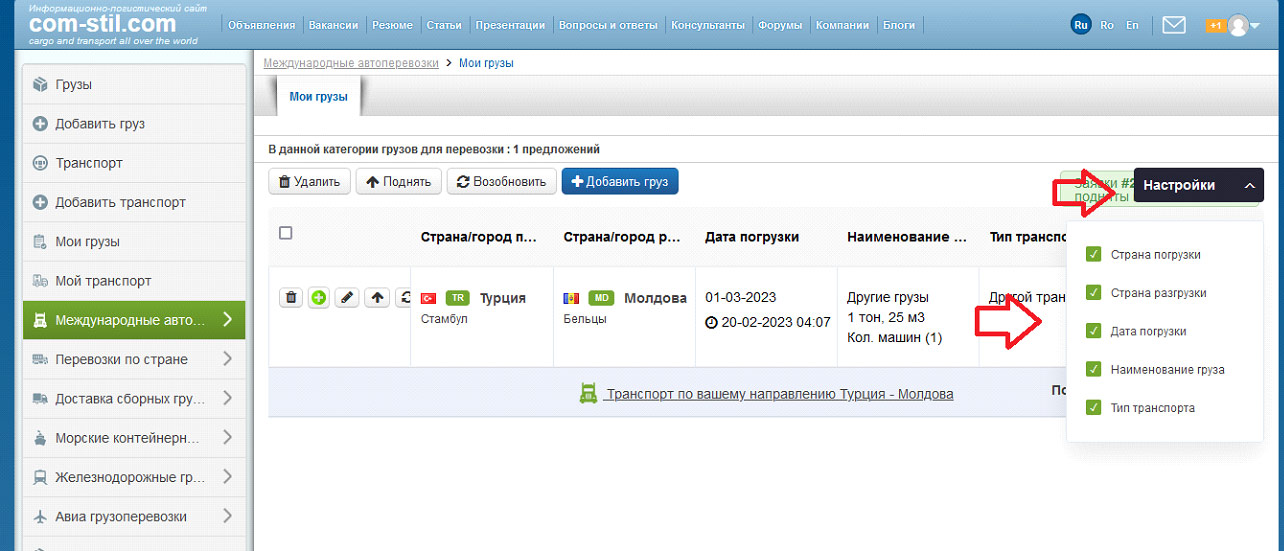
By clicking the "Settings" button in the right corner above your requests list, you can uncheck "Loading country," "Unloading country," "Loading date," "Cargo name," "Vehicle type." This way you can hide some information when displaying a request. This is optional; however, we recommend filling in all request data as accurately as possible to make it easier to find transport for your cargo.
How my request can participate in searches — and you don't need to do anything!
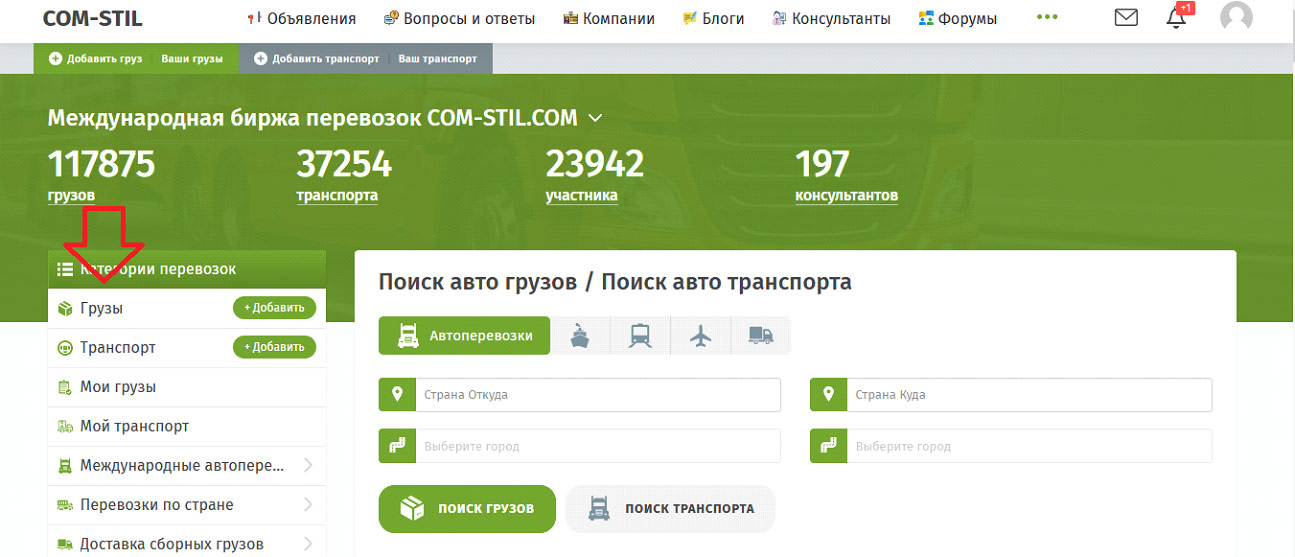
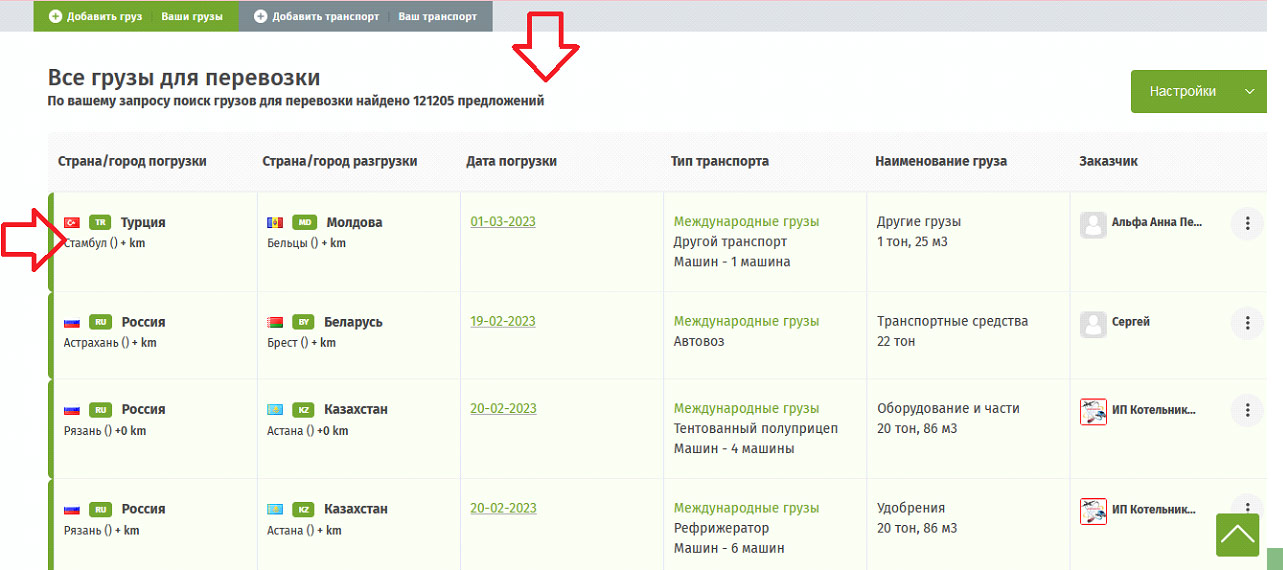
The automatic search participation feature allows your request to appear in the general list of requests immediately after you publish your offer. Carriers will be able to contact you themselves to offer cooperation. And most importantly, this requires no action on your part — just create a request and that's it.
How to find out how many users viewed my request and who they are — we explain!

As a shipper, you can see not only how many times your offer has been viewed, but also who viewed it. To do this, just click on the number of views. You can use this information to contact carriers yourself and arrange cooperation. Perhaps the carrier had additional questions or doubts that you can address by calling them directly. Adding your cargo will speed up the search for the transport you need!
How can I contact a carrier — a feature available in 1 click!
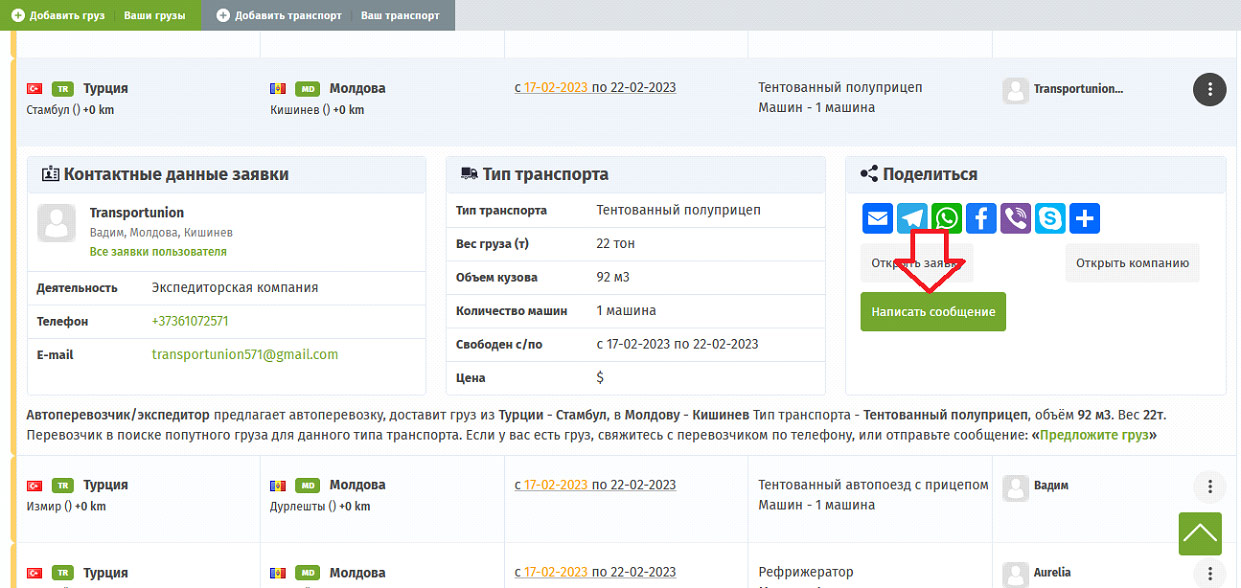
To write or call a transport company, click the three dots at the end of the request. This will open more detailed information about the truck owner. There you will also find a "Send Message" button. Click on it and write your questions or a proposal for cooperation. Open the request and you will see even more information about your carrier.
How long will my request be displayed — it is important to note the timeframe!
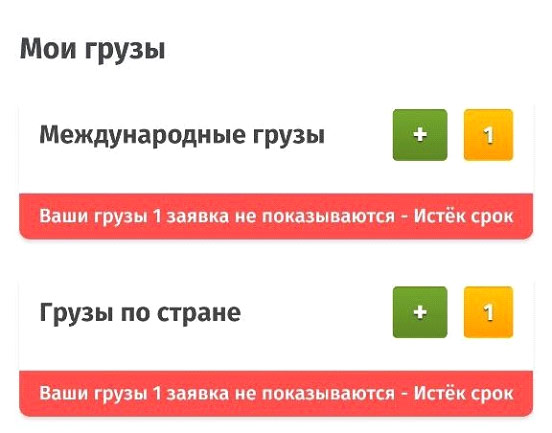
Each published request has an active period. This is about 4–5 days, after which your offer stops being shown to website users. If you have cargo, you created a request, but time has passed and carriers are not calling or writing, check the status of your entry. You can find out about this by the red "Expired" button above your requests list. The same text will also be displayed above the offer that has expired. The relevance of requests is shown in "My Cargo." Update the status of your request, and your offer will become available to all carriers again.
If you are not yet a registered user — register and use all the features of the COM-STIL transportation website. It is free and offers many advantages that simplify the work of shippers. By regularly sending cargo, you will definitely appreciate the help of such a lifesaver, which requires no investment but delivers excellent results.


