Rules for using the "Questions and Answers" section
The transport and logistics exchange COM-STIL allows you not only to find or post cargo and transport but also to get answers to your questions about cargo transportation. You can arrange the same cooperation through the "Questions and Answers" section. What do you need to do for this? Register on the site and write your question, then just wait for other users to respond. This usually takes a little time.
Ask as many questions as you need; there are no limits on the number of questions. Just try to formulate them as clearly as possible so that it is easy to answer. This will make it clearer for you and other users of the site. Before asking a question, you can also familiarize yourself with what is already on the site; you might find what you were looking for.
We will explain how to use the "Questions and Answers" section so that you do not encounter any difficulties. The site's functionality is as simple and understandable as possible for everyone, but a small guide on its use will hopefully be useful for you. If so, read on.
How to log in and start working
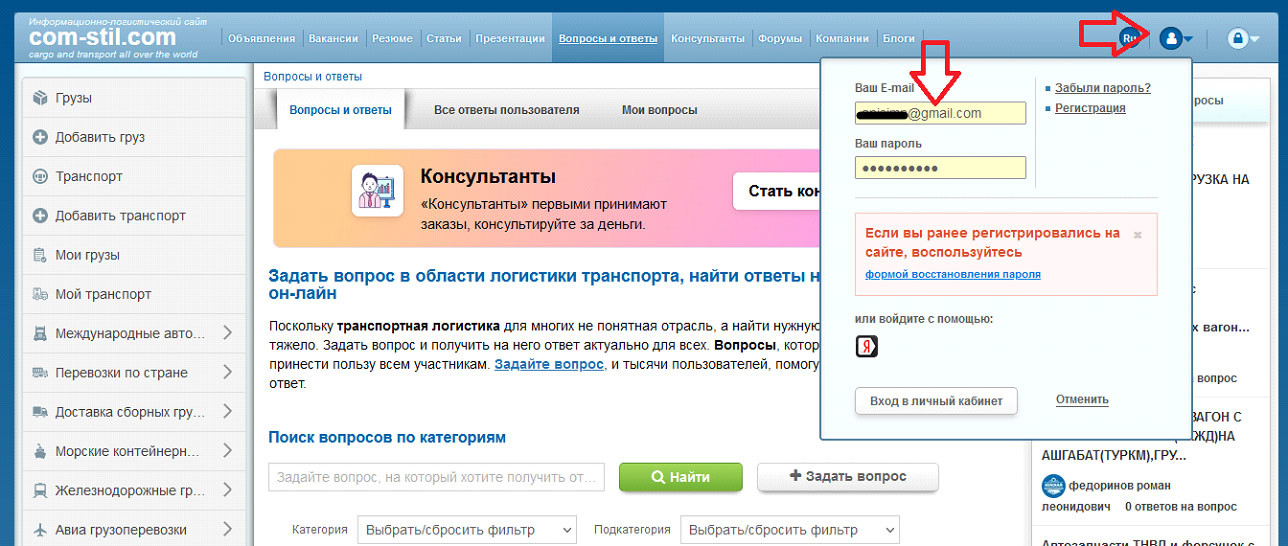
To have the opportunity to write your question, go to the site. You can do this through the login form in the upper right corner of the page. Enter the email address you provided during registration and your password. Please note that to log in, you must be a registered user. So, first, go through the simple registration and activation procedure for your account on the COM-STIL site.
How to register on com-stil
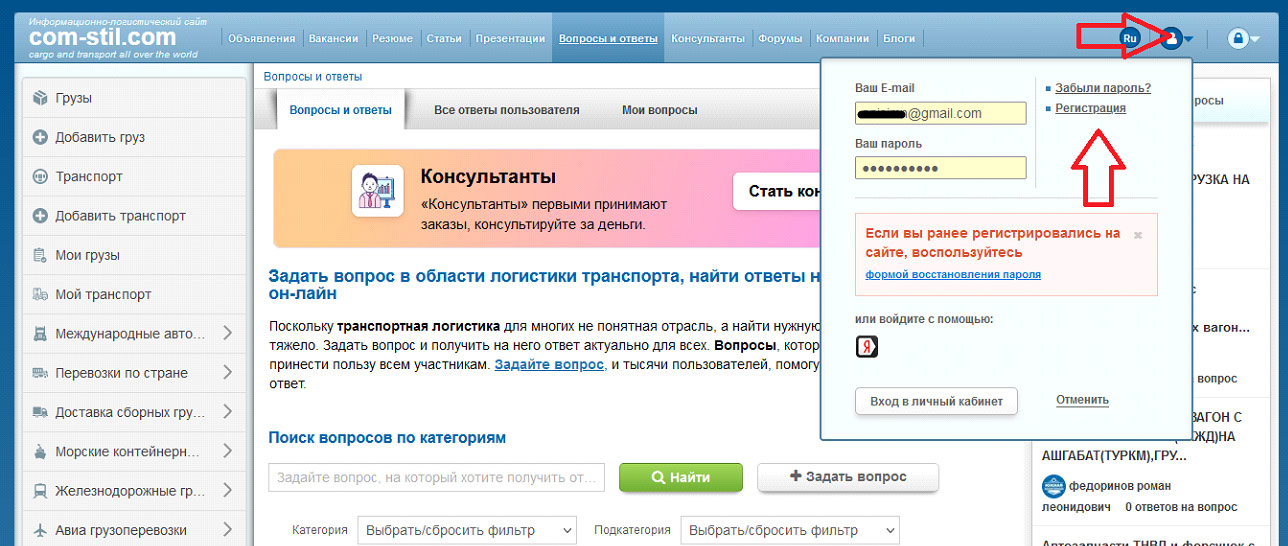
The registration form is located in a pop-up window in the upper right corner of the page. Click on the arrow to open it. Select "Registration" if you have not done it before and enter your details.
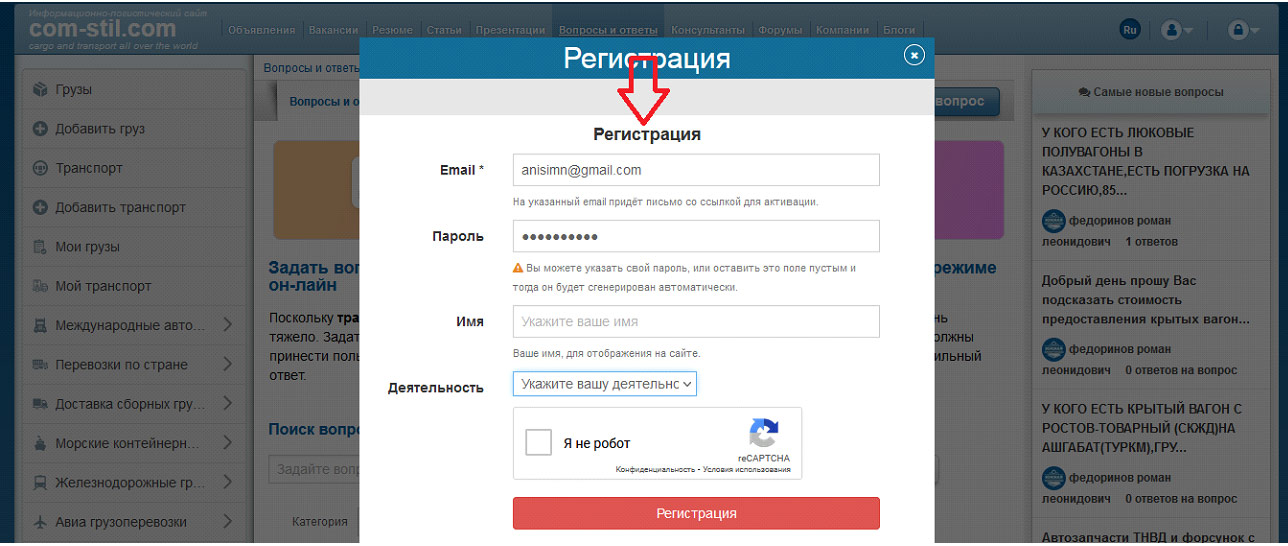
You need to provide a minimal set of information — name, password (or it will be generated automatically), and the email address you are currently using. Also, select your area of activity from the drop-down list next to the "Activity" field — cargo owner, logistics warehouse, road transport or forwarding company, and others. Choose what corresponds to what you do. Also, check the box next to "I am not a robot" to confirm that you are a real person. Finally, click the red "Registration" button to complete the procedure.
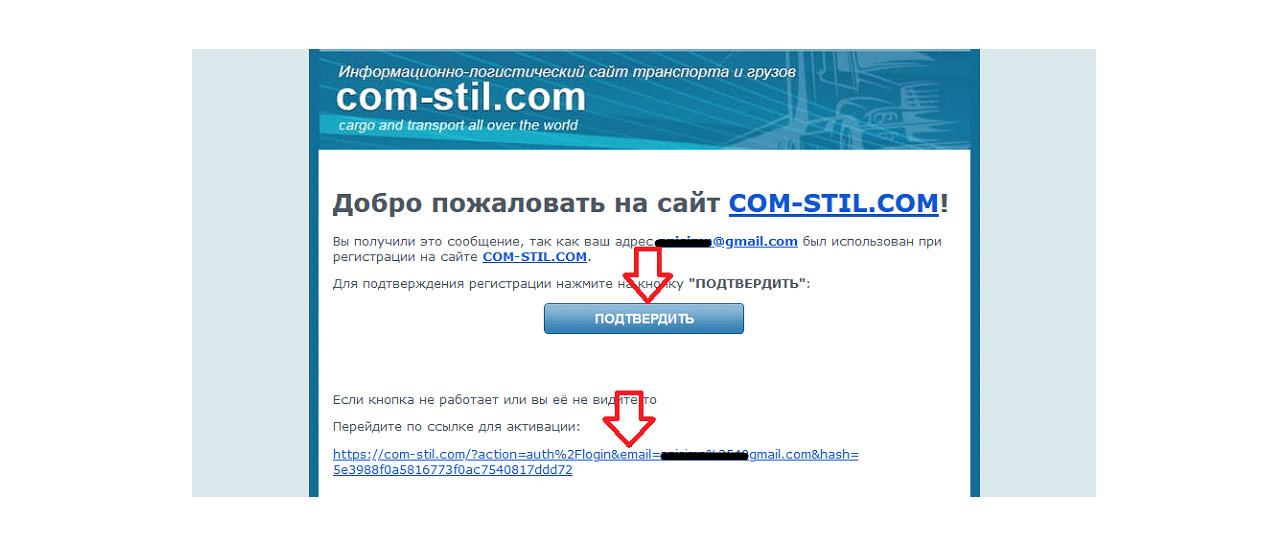
Upon registration, the site administration sends a link to activate your account to your email. Go to your mailbox, open the email, and click on the button or link. If you do not see an email from COM-STIL in your inbox, check your spam folder or request activation again. Also, for any unclear questions, you can contact the site administration using the contacts at the bottom of the main page.
How to write a question correctly
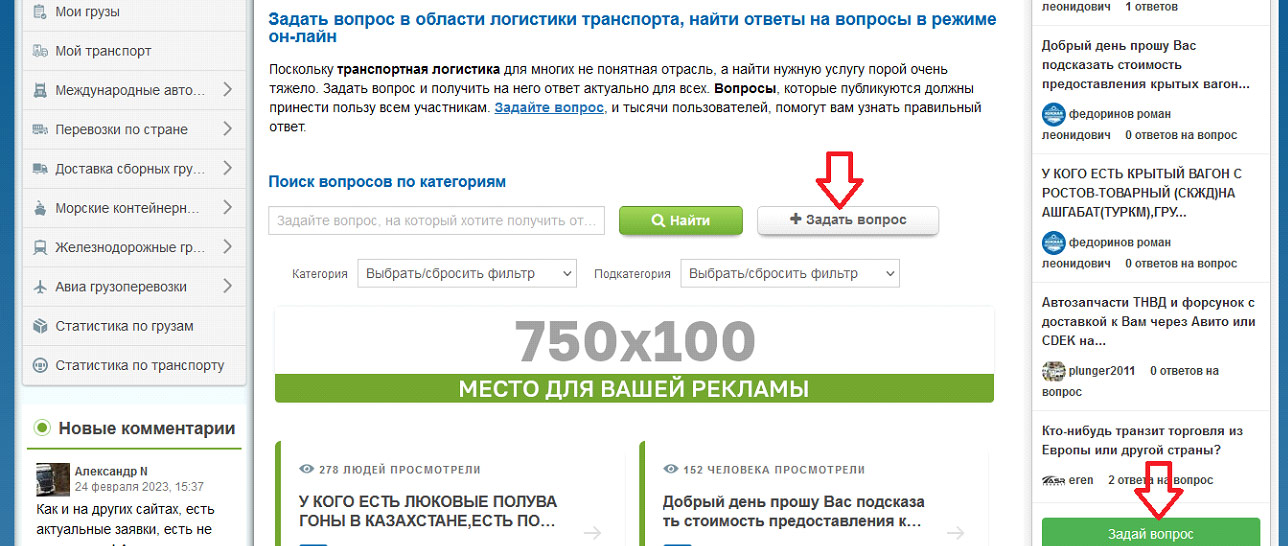
To ask something on the site, use the "+ Ask a question" button located above the entire list of questions on the right. You can also use the green button under the column with the most recent questions — "Ask a question".
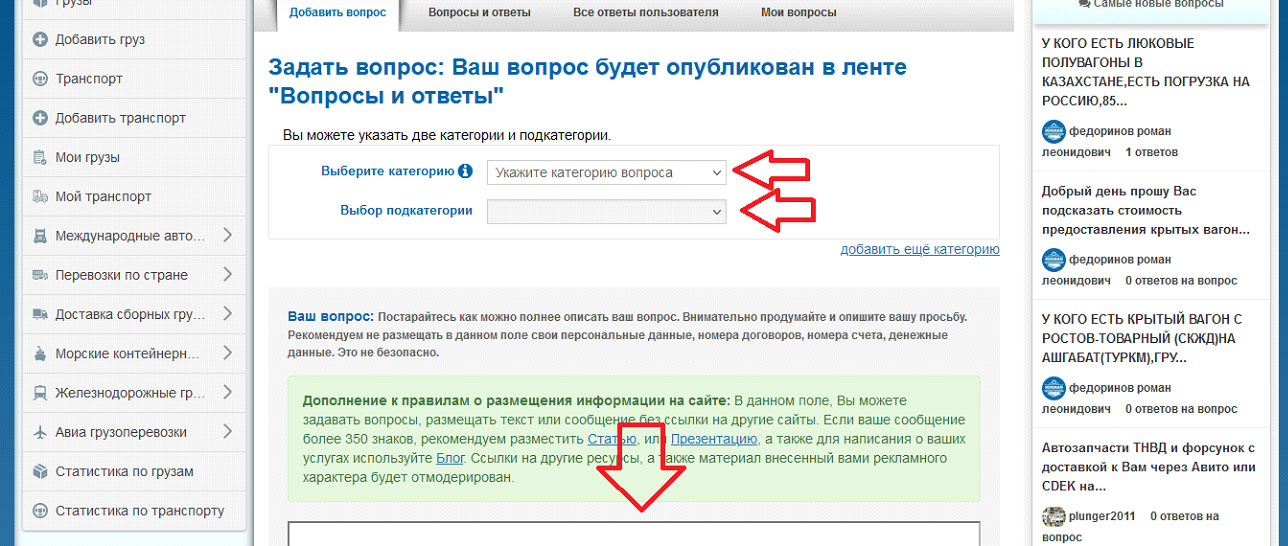
By clicking on one of these buttons, a page will open where you can write your question, choose a category and subcategory for it. After writing, click the blue button on the left under the form — "Publish question". After that, it will be displayed in the general feed, so users can see it and respond.
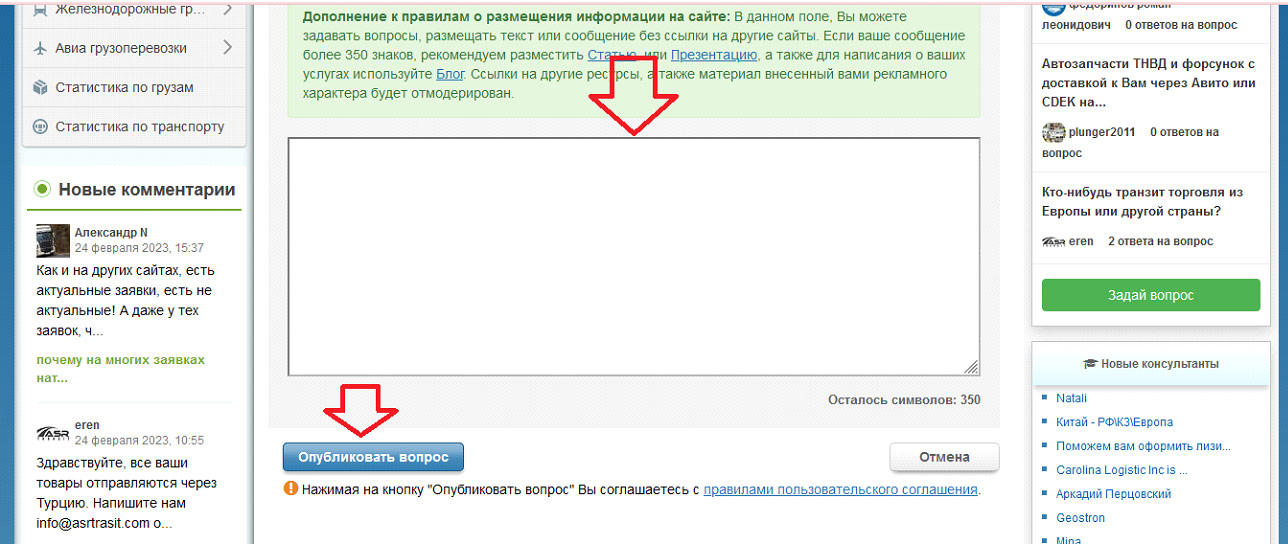
Please note that the publication size can be no more than 350 characters. Formulate your question precisely, but try to fit within this limit.
Keep in mind that publication is only possible if you have logged in to the site. Register once and use the functionality of the "Questions and Answers" section without limits, as well as other features of our transport and logistics exchange.
How to find a similar question to what I want to ask
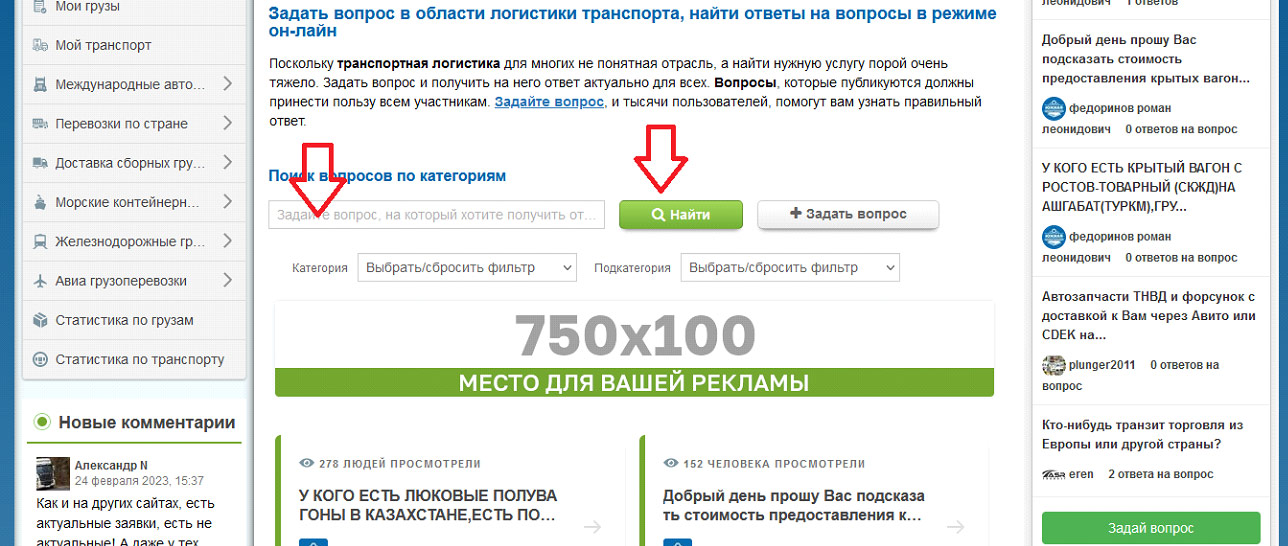
Users sometimes ask similar questions on the site. Therefore, if you want to know the answer faster, you can search among the publications on the site. To do this, use the search field located above all the questions on the left.
For example, you can write a key phrase related to your question and the future answer to it. Write in the search field what you want to search for and click the green "Find" button next to it. Or first select the category and subcategory to which it belongs to get more accurate results.
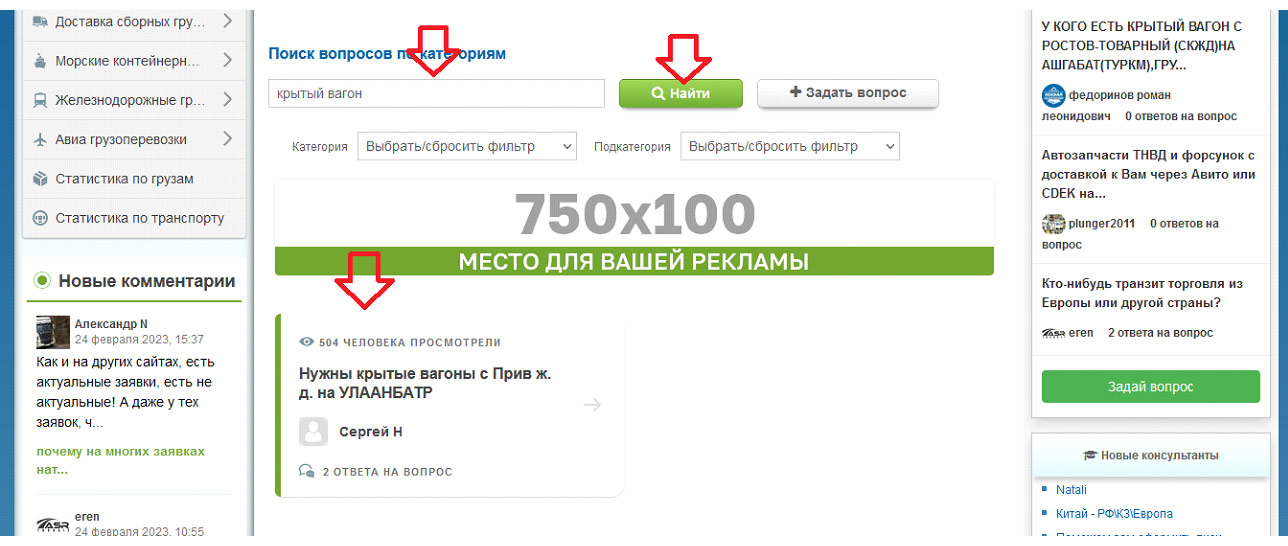
Suppose you type the phrase "covered wagon" into the search, and the search returns one similar question, as shown in the screenshot above.
If you still did not find a similar question-answer, then write your own and wait for a response.
How to answer a question and attract attention
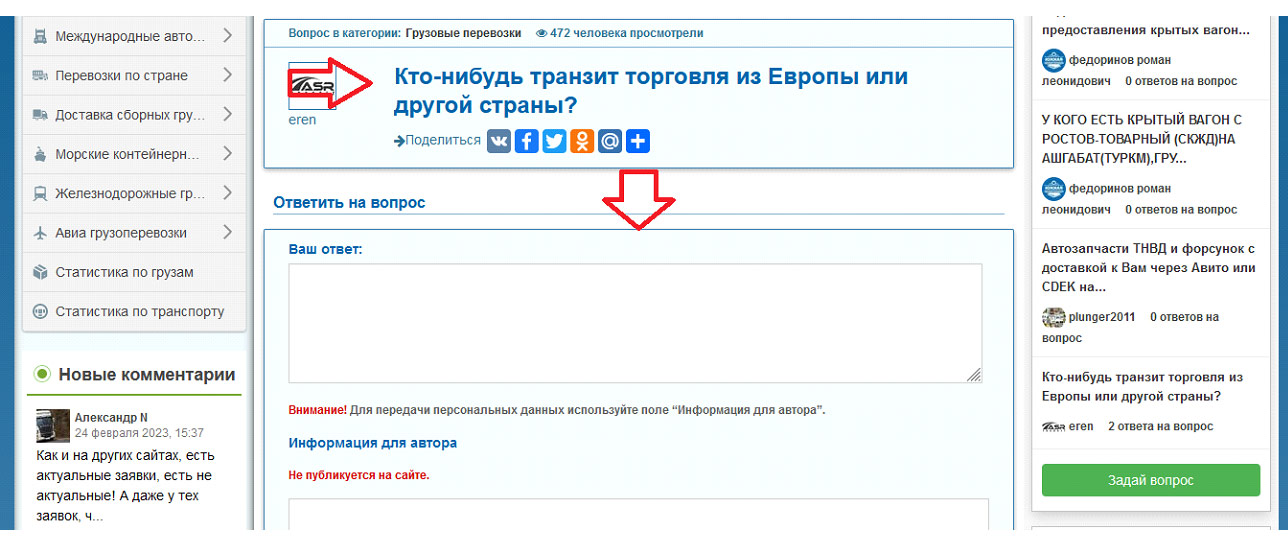
If you intend to use the "Questions and Answers" section for work, you can not only ask but also answer other users' publications. To do this, open the question (click on it), find the empty fields of the answer form below it, write and send.
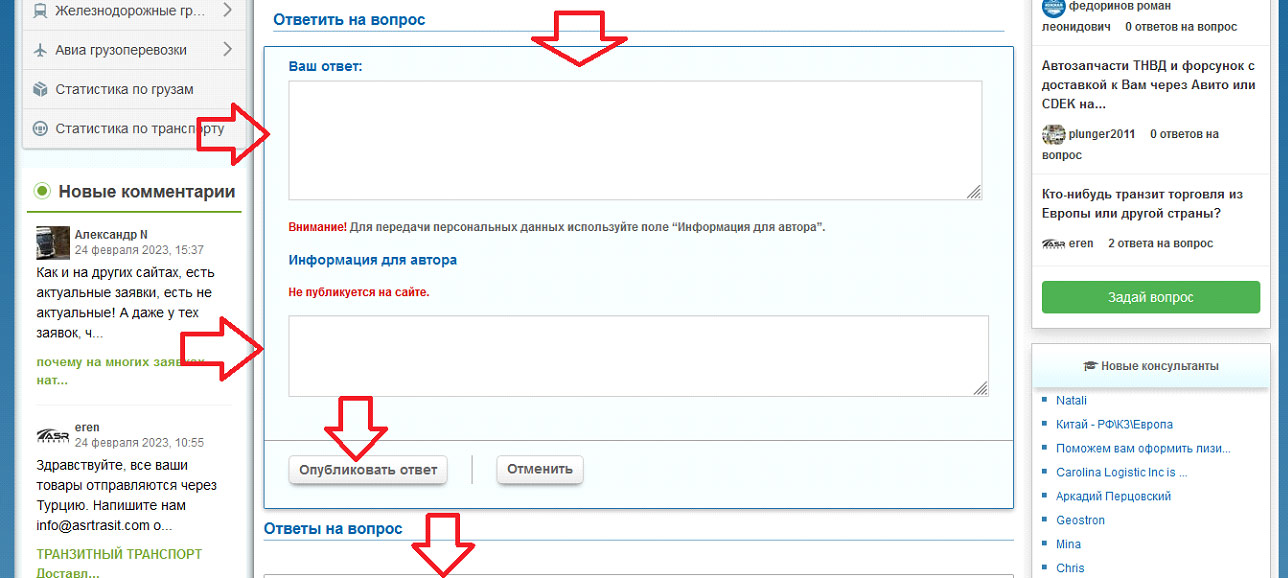
Where it says "Your answer," you need to write what will be published on the site. And in the "Information for the author" field, write personal data. Only the author of the question will see this. By clicking the "Publish answer" button on the left under the form, you publish it on the site. It's that simple. On this same page below, you can also see other answers if it is indicated that they exist.
You are always free to answer any question, but write to the user only if you really have something to advise and offer.
What questions will be relevant on this site
The "Questions and Answers" section on the COM-STIL site is created to benefit all regular and occasional visitors. Therefore, try to respect others' and your own time when publishing questions. Write clearly and to the point. This increases the likelihood of being understood and getting an answer.
Here is a list of questions that will be relevant for publication on our site:
- request for the cost of a certain service to find out how much transportation will cost;
- search for missing cargo for a specific date and depending on the shipping direction;
- search for a suitable vehicle for a certain task;
- request for help with product logistics;
- clarification of some information, for example, what transport is suitable for transporting specific products;
- presentation of your services and publication of a cooperation proposal.
But no one restricts you from asking your own work-related and reasonable question, even if we did not list it above.
Statistics of questions and answers
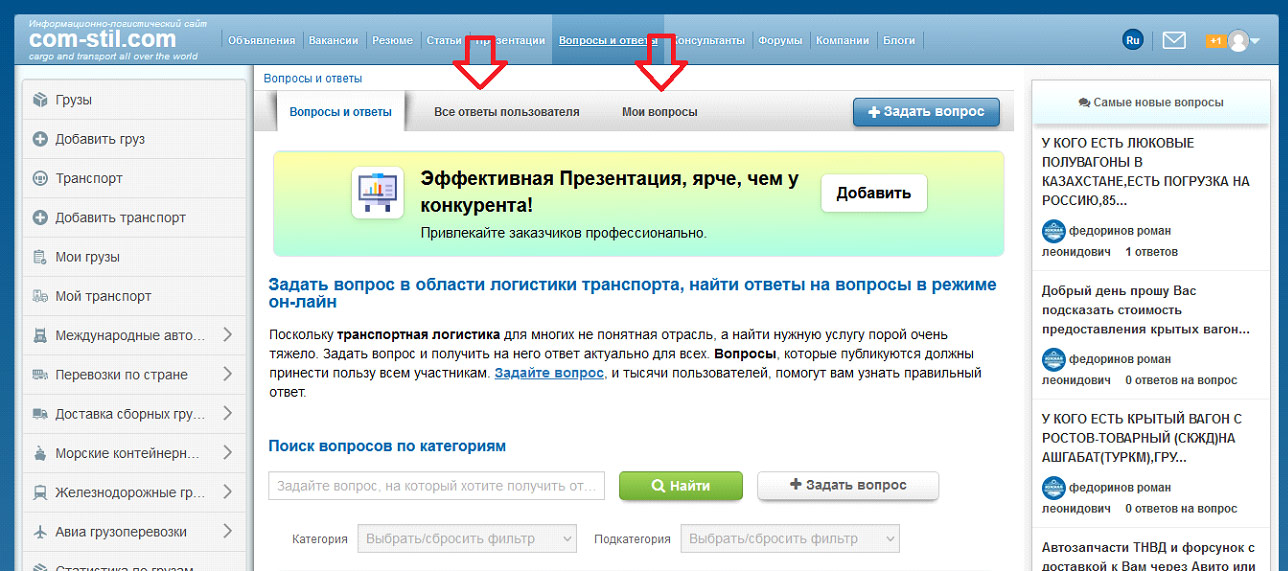
Each user can view everything they have asked/answered and quickly find responses from other site visitors. Everything can be viewed in the "My Questions" tab at the top of the page. What you personally answered is organized in the "All User Answers" tab.
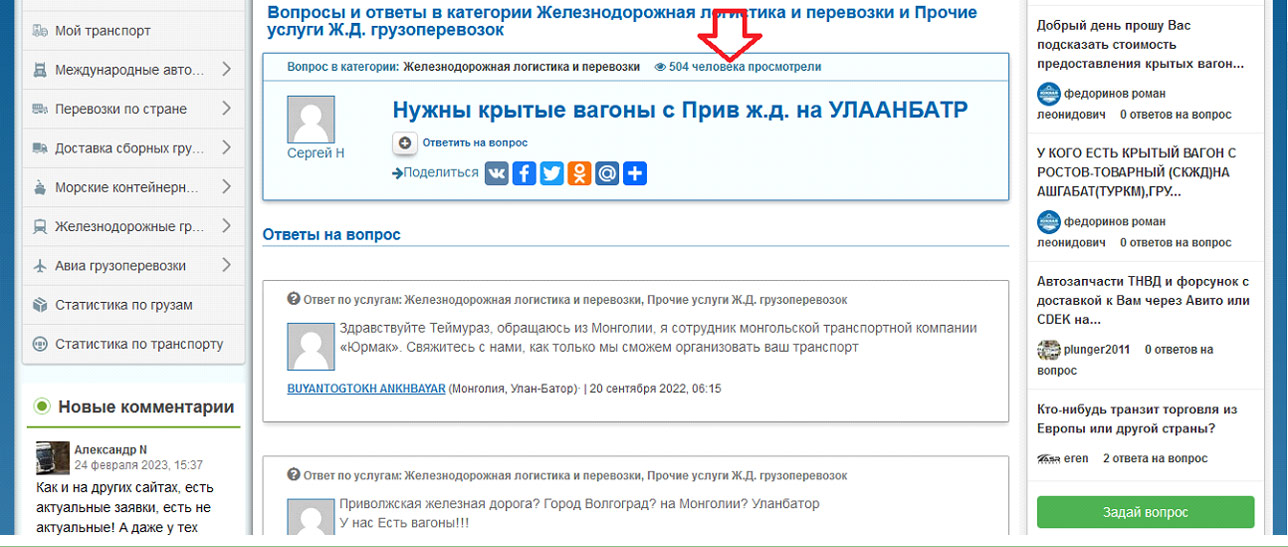
In addition, you can find out how many users viewed your question. The number of views is displayed above it.
What questions and answers will be deleted
Any registered site visitor can write answers to questions on the site. However, if they contain profanity, insults, or turn out to be uninformative, the site administration may decide to delete them unilaterally without notifying the user. So, do not swear and do not take offense, just keep all the rules in mind in advance.
The transport exchange COM-STIL is created to help cargo owners, logistics warehouses, forwarding and transport companies, as well as everyone working in the field of cargo transportation and shipping. We hope the "Questions and Answers" section on the site will help you more than once and make your activities more productive.


